
#Personal Allowances, #Personal Assessment, #薪俸稅
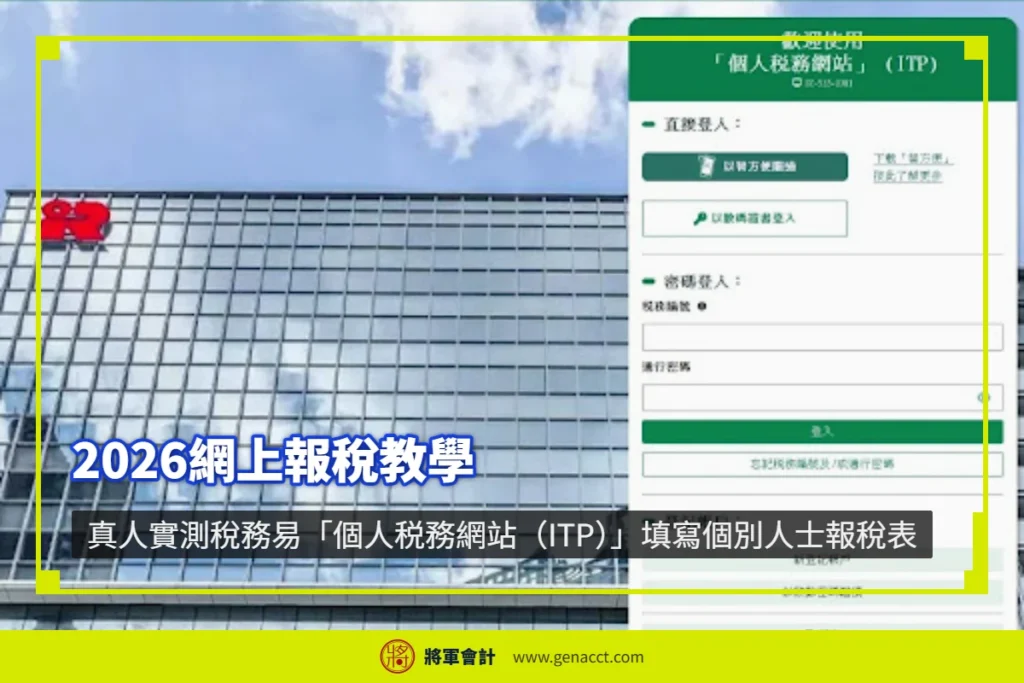
This 2026 online tax filing tutorial is a hands-on, real-user test by General Accounting! This May, the Inland Revenue Department officially upgraded “Tax Easy” to the new “Individual Tax Portal (ITP)”. This is the first filing season for taxpayers to submit the 2025/26 Individual Tax Return (BIR60) using the new system. To help you avoid pitfalls, we have compiled a complete step-by-step guide in four key stages.
Tax Easy Individual Tax Portal (ITP): How to log in and submit a tax return?
- Official website: GovHK – Individual Tax Portal (ITP)
- Login methods: You may log in quickly by scanning via the iAM Smart mobile app, or by using a recognised digital certificate. Former Tax Easy users can also continue to log in with their existing “Tax Reference Number” and “Password”.

💡 First time using ITP?
If you are opening an account for the first time or have forgotten your password, please refer to our extended guide: Tax Easy Individual Tax Portal (ITP) Account Registration and Login Guide.
2026 Online Tax Filing Tutorial: Step-by-step breakdown of the 4 key ITP processes
After entering the system and selecting “Submit Individual Tax Return”, the e-filing process is mainly divided into the following four parts:
Part 1: Read Important Notes
- Step overview: The system will outline the estimated time required (generally 10–20 minutes) and the terms. After reading, click “Continue”.
- Read the e-guidance carefully: Before proceeding to Part 2, be sure to read the scope and key notes for online e-filing. Once confirmed, click “Continue”.
Part 2: Complete the Tax Return
- Verify personal particulars: The system will display your Chinese and English name, HKID number, etc. After confirming everything is correct, click Continue.
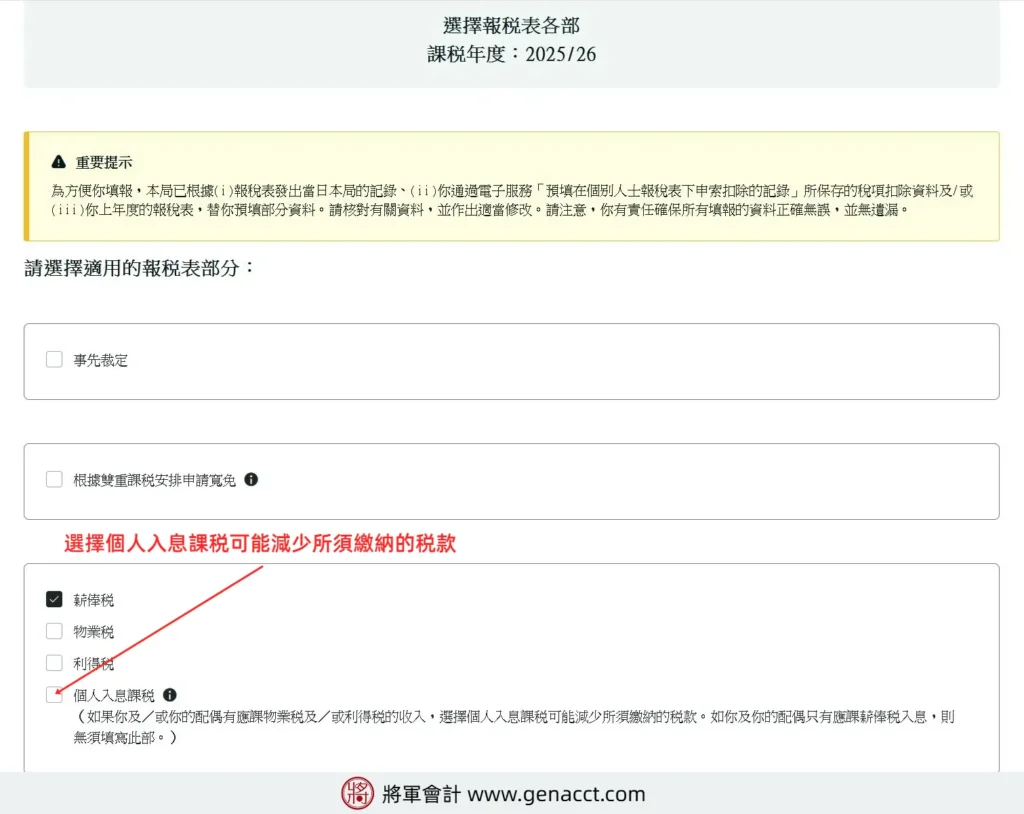
- Select the sections you need to complete for the year: Based on your actual financial situation for the year of assessment (2025/26), tick the applicable sections of the tax return:
- Advance Ruling
- Claim relief under a Double Taxation Arrangement
- Main taxes: Salaries Tax, Property Tax, Profits Tax (sole proprietorship), Personal Assessment
- Deductions: Home rental deduction, interest deduction
- Medical and annuities: Qualifying premiums under the Voluntary Health Insurance Scheme (VHIS), qualifying annuity premiums, and tax-deductible voluntary MPF contributions
- Latest deduction: Deduction for assisted reproduction service expenses
- Allowances: Basic allowance, married person’s allowance, child/dependent parent allowance, elderly residential care expenses, etc.
🛠️ Professional tip from General Accounting:
The Inland Revenue Department will, based on past records or employer filings, automatically pre-fill part of your salary and personal information. However,taxpayers bear the ultimate legal responsibility to ensure all information declared is accurate.
For example, if your marital status changed from single to married during the year, remember to update your information and assess whether “Joint Assessment” should be selected to reduce tax.
Further reading:[Joint Assessment] What are the benefits of joint assessment for couples? A guide for married persons completing the tax return
- Employment details and income: Based on your employer’s “Remuneration Return”, enter the employer name, position, period of employment, and total employment income.
- Expenses and deductions: Declare mandatory MPF contributions, approved charitable donations, or other necessary expenses directly related to your work.
- Claim allowances: Tick and complete the single parent allowance, child allowance, dependent parent/grandparent allowance, etc.
Part 3: Sign and Submit
- Review carefully: The system will compile your inputs into the traditional “Tax Return mode (BIR60)”. Please check each item carefully. If changes are needed, you may click “Back” at any time.
- Password signature: After confirming the return is correct, enter your “ITP Password” at the bottom of the page or use iAM Smart for a digital signature, then click “Sign and Submit”.
Part 4: Confirmation
- Keep a record: After successful submission, the screen will immediately display the “Transaction Reference Number”, submission date, and exact time. Please be sure to keep this confirmation pageby taking a screenshot, saving it as a PDF, or printing it for future record-keeping and verification.
Can choosing “Personal Assessment (PA)” help you reduce tax?
If you or your spouse, in addition to employment income, also have rental income subject to Property Tax or operate a sole proprietorship subject to Profits Tax, selecting “Personal Assessment” often allows you to enjoy consolidated relief and significantly reduce the total tax payable.
Further reading: Sole Proprietorship Tax Filing Guide: Process, tax rates, and tax-saving tips
Key Notes for Submitting an Individual Tax Return via Tax Easy
Below are the key points of this online tax filing tutorial. To avoid penalties for late filing or missing out on deductions, General Accounting has summarised the must-know items for filing via the ITP system in 2026:
- Login and password: The new ITP platform fully supports iAM Smart biometric authentication, personal digital certificates, and existing Tax Easy credentials. Former Tax Easy users can log in directly with their existing Tax Reference Number and Password without re-registering. New users without a number may submit personal details online to apply for an “Activation Password” by post or email.
- Filing deadline (latest 2026 timetable): General employees/individual taxpayers: The deadline for paper returns is June 4, 2026; if you file online via ITP, you will receive an automatic one-month extension, with the deadline extended to July 4, 2026.
Further reading: Hong Kong company and individual tax return deadlines and extension application guide
- Sole proprietors (unlimited company owners): The paper filing deadline is August 4, 2026; filing online via ITP extends the deadline to September 4, 2026.
- Email notifications: After successfully activating your ITP account and consenting to receive electronic communications, the IRD will issue tax returns and notices of assessment electronically. As the filing and payment deadlines approach, the system will automatically send email reminders to your registered email address, helping you avoid missing deadlines and incurring penalties due to oversight.
Further reading: When will I receive my tax bill? How to check your Notice of Assessment on Tax Easy Individual Tax Portal (ITP)
- Types of returns: The ITP system currently supports one-stop filing for multiple personal taxes, including Salaries Tax (employment income), Property Tax (rental income from solely owned property), Profits Tax (sole proprietorship business), and applications for Personal Assessment. (Note: partnership businesses or corporate Profits Tax must use the BTP Business Tax Portal).
- Verify income: Although the system will automatically pre-fill salary data reported by your employer via IR56B , taxpayers must not submit without verification. Please check your monthly payslips or year-end commission/bonus statements. If the pre-filled figures do not match your actual income, or if income during a job change is missing, you must amend it manually; otherwise, under-reporting or misreporting income may result in fines or heavy penalties.
- Allowances and deductions: When filing online, you may declare eligible allowances and deductions for the year of assessment 2025/26 (such as MPF contributions, charitable donations, VHIS, home rental deduction, and the government’s newly introduced deduction for assisted reproduction service expenses, etc.).
Further reading:
After completing the steps in this 2026 online tax filing tutorial, if you still have questions, please refer to the FAQs below.
Online Tax Filing FAQs
Facing complex issues with online tax filing? Let professional accountants assist you
Although the Individual Tax Portal (ITP) simplifies the filing process, if you are involved in multiple sole proprietorships, income calculations for resignation/job changes, claiming relief for overseas income, or complex joint property assessments, a small mistake may lead to overpaying tax or triggering under-reporting risks.
General Accounting (General Accounting) has an experienced tax team providing precise tax planning, filing agency, and compliance advisory services for individuals and sole proprietorships, helping you maximise legitimate tax savings.
- Official website: https://www.genacct.com/
Please contact us for tailored professional tax solutions.
Conclusion
In summary, the upgraded Individual Tax Portal (ITP) online filing process is smoother than the previous Tax Easy online filing. The interface is simple, convenient, and user-friendly, and you can save your progress or continue completing the return online at any time.
The overall filing process is straightforward and easy to follow. We recommend that taxpayers use online filing to submit the Individual Tax Return.
In addition to receiving an extra one-month extension, you can file anytime, anywhere with no geographical limitations, avoid postal delivery issues, and review up to seven years of filing records at any time—fast and convenient.
General Accounting offers free consultation


